
What if I told you that the most powerful camera for creating engaging social media content isn’t in your hand, but flying above you?
Our smartphones have completely transformed how we capture and consume media. The vertical format now dominates platforms where attention spans are short but engagement is high. As a creator, I’ve had to adapt to this mobile-first reality.
When DJI introduced their Mini 3 Pro with its revolutionary rotating gimbal, it changed everything for me. This innovation allows for native portrait capture without sacrificing quality. You get true 4K resolution and full use of the lens’s capabilities.
Mastering this approach has become essential for maximising audience reach. It’s not just about following trends—it’s about creating content that feels natural on the devices people use most.
Throughout this guide, I’ll share my experience transitioning to vertical filming. You’ll learn technical setups and post-production techniques that elevate your creations. This strategic approach future-proofs your workflow across multiple platforms.
Key Takeaways
- Mobile devices have made vertical format the dominant choice for social media consumption
- Modern drones like the DJI Mini 3 Pro offer native vertical capture capabilities
- Shooting in portrait orientation provides superior quality for short-form platforms
- Adapting to vertical filming expands your content’s distribution potential
- Mastering this technique is essential for modern content creators
- Vertical content creation represents a strategic long-term approach
- Proper setup and technique maximise engagement across multiple platforms
Introduction to Vertical Drone Videography
There’s an undeniable shift happening in how audiences engage with visual media on their handheld devices. The statistics speak for themselves—mobile traffic dominates internet usage, and platforms have adapted accordingly.
Why vertical content is the future for mobile viewing
When I first noticed this trend several years ago, it was clear that portrait orientation wasn’t just a passing phase. People naturally hold their phones upright, and platforms like Instagram and TikTok have built entire ecosystems around this behaviour.
The data reveals an exciting opportunity. Stock libraries show a massive imbalance—thousands of horizontal aerial clips compared to just a fraction in vertical format. This gap represents significant potential for early adopters.
My journey into shooting aerial vertical footage
My own exploration began when I realised traditional landscape framing felt awkward on mobile screens. I started experimenting with different approaches to capture scenes that felt natural in portrait mode.
This transition required rethinking my entire composition strategy. Rather than simply cropping existing footage, I learned to frame shots specifically for the vertical format from the beginning.
The results have been transformative. My content now connects more effectively with audiences who primarily consume media on their phones. This approach has opened new distribution channels and engagement opportunities that simply weren’t available with traditional horizontal filming.
Understanding Your Drone’s Capabilities and Settings
Many creators overlook the powerful tools built right into their flying cameras that can transform their social media content. Proper configuration before flight makes all the difference for portrait-format success.
Activating grid lines and frame guides
In your controller’s app, tap the three dots in the top right corner. Navigate to the camera menu and find the section for shooting assistance lines.
I always enable the grid lines feature. The two middle vertical lines create the perfect 9:16 boundary for platforms like Instagram Reels.
Some models offer a frame guide option that dims the outside area. This helps you focus exclusively on your portrait composition.
Exploring camera modes and gimbal settings
Your device’s camera mode selection is crucial for optimal results. Different shooting scenarios require specific settings adjustments.
Only certain models support true portrait orientation. The DJI Mini 3 Pro and Mavic Pro series can physically rotate their gimbals by 90 degrees.
Understanding your equipment’s capabilities determines your workflow. You’ll know whether to shoot natively or use cropping techniques later.
Benefits of Embracing Vertical Video Format
Working within the natural aspect ratio of smartphones unlocks creative possibilities I never imagined. This approach fundamentally changes how you see and capture scenes from above.
The advantages extend far beyond simply fitting mobile screens better. You gain technical and creative benefits that elevate your entire production.
Easy framing and composition techniques
Framing becomes remarkably intuitive when you shoot for the final delivery platform. I found myself naturally composing shots that felt perfect for portrait viewing.
Rather than struggling to fit vertical content into a horizontal frame, you work directly within the 9:16 boundaries. This eliminates guesswork and ensures your main subject always stays perfectly positioned.
Enhanced resolution and image quality
The difference in sharpness and clarity is immediately noticeable with native capture. You get true 4K resolution rather than upscaled or cropped versions.
This means every pixel works for your final output. The image quality remains pristine without any compromise from cropping.
“Content created specifically for mobile consumption connects more authentically with audiences who primarily use their phones for entertainment.”
| Aspect | Native Portrait Capture | Cropped Horizontal Footage |
|---|---|---|
| Final Resolution | True 4K output | Upscaled or reduced |
| Image Quality | Full sensor utilisation | Cropped sensor area |
| Focal Length | Complete 24mm coverage | Effectively longer focal length |
Capturing full-resolution portrait images is particularly valuable for creators needing both photo and video content. You maintain maximum quality across all your media assets.
This way of working positions you ahead of evolving platform preferences. Audiences increasingly expect content optimised for their viewing experience.
Mastering Drone Vertical Video Techniques
Choosing between native portrait capture and post-production cropping represents a fundamental decision for aerial creators. Each approach offers distinct advantages depending on your equipment and project requirements.
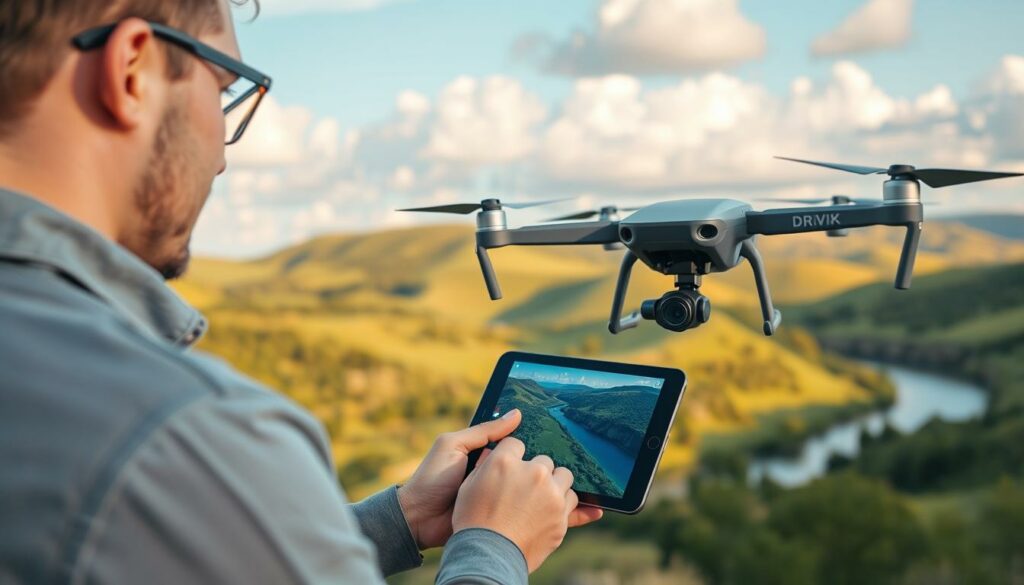
Utilising both native portrait mode and cropping methods
Modern equipment like the DJI Mini 3 Pro and Mini 4 Pro features physically rotating gimbals. This innovative design allows true portrait orientation shooting without quality compromise.
For models without rotating capabilities, I employ careful framing techniques. I activate grid lines to visualise the final 9:16 composition while capturing wider horizontal footage.
Flying slightly further back ensures adequate vertical space when planning to crop later. This simple adjustment prevents cutting off important elements during editing.
I often choose the horizontal-then-crop method even with compatible equipment. This approach provides flexibility for multiple platform distribution from a single capture session.
| Method | Best For | Key Consideration |
|---|---|---|
| Native Portrait Mode | Maximum quality projects | Requires compatible camera hardware |
| Horizontal Crop | Multi-platform content | Needs careful pre-shoot framing |
| Both Techniques | Professional workflows | Understanding your shooting mode options |
Your decision should consider final delivery platforms and available equipment. Mastering both techniques ensures you’re prepared for any creative challenge.
Optimising Shooting Techniques for Social Media Platforms
Tailoring your aerial shots specifically for each social media platform dramatically increases their impact. Content that feels native to an app encourages more interaction from people.
Understanding the preferred format for each platform is the first step. Instagram Reels and YouTube Shorts demand a true 9:16 aspect ratio to fill the mobile screen.
Standard Instagram posts, however, use a 4:5 ratio. This knowledge directly influences how I frame my shots in the field.
Adapting Footage for Instagram, TikTok and YouTube Shorts
I plan my flights with multiple outputs in mind. Capturing a wider scene allows me to crop effectively for different formats later.
This strategy maximises the value of every flight. I can create a Reel, a standard post, and even a TikTok from the same master clip.
The goal is to make the view feel immersive and intentional. When footage is perfectly formatted, it captures attention instantly.
My experience shows that content shot with the final platform in mind simply performs better. It connects with viewers more effectively.
Post-Production: Cropping and Editing for a Vertical Format
Transforming your landscape footage into compelling portrait content requires careful post-production work. I’ve developed a reliable workflow that ensures your final output looks professional and fills the mobile screen perfectly.

Setting up a vertical 9×16 project in your editing app
Start by creating a new project with dimensions of 2160 pixels wide by 3840 pixels high. This gives you true 4K resolution for your portrait format video. When you import horizontally shot content, scale it to exactly 37% to achieve the perfect crop.
This scaling work ensures your footage fills the entire frame without distortion. The image quality remains sharp throughout the editing process.
Keyframe adjustments for dynamic subject positioning
When your subject moves across the frame, keyframes keep them perfectly positioned. Start by setting a keyframe at the beginning of your shot with the scale adjusted to fill the frame.
Watch the video carefully and place another keyframe when your subject starts moving out of position. Wait until they become stationary again, then drop a final keyframe and adjust the clip’s position.
The frame positioning will smoothly adjust between keyframes, creating professional-looking results. This technique saves time and ensures your content flows naturally from one shot to the next.
Comparing Native Vertical Capture vs Cropped Horizontal Footage
One of the most common questions I receive is whether to shoot vertically from the start or crop afterwards. Both methods have their merits, and the best choice often depends on your equipment and goals.
Using a model like the DJI Mini 4 Pro in native portrait mode delivers a true 4K output. However, some find the 24mm focal length a bit wide for this format. In contrast, capturing horizontal footage with a Mavic 3 Pro and cropping it later leverages its superior sensor.
The Mavic 3 Pro’s main camera offers better dynamic range and richer colours. This often results in a final image where the overall quality surpasses that of a native capture from a smaller camera.
Shooting horizontally first provides incredible flexibility. You get a traditional widescreen clip for platforms like YouTube and can easily crop a perfect vertical version for Reels and Shorts from the same master footage.
| Approach | Key Advantage | Ideal For |
|---|---|---|
| Native Portrait | Maximum resolution | Single-platform focus |
| Cropped Horizontal | Distribution flexibility | Multi-platform creators |
| High-end Native (e.g., Inspire 3) | Uncompromised image quality | Premium projects |
Don’t worry too much about upscaling cropped 4K to vertical 4K. After platform compression, especially on mobile screens, the difference is often negligible. The sensor performance usually matters more than pure pixel count.
Technical Tips for Maximising Resolution and Quality
The technical specifications of your flying camera play a crucial role in determining the professional quality of your mobile-optimised footage. Understanding your equipment’s capabilities helps you make informed decisions about settings and techniques.

Selecting the optimal focal length and sensor settings
Your camera’s sensor size dramatically impacts the final image quality. Larger sensors like those on the Mavic 3 Pro capture more light and deliver superior dynamic range. This results in richer colours and better performance in challenging lighting conditions.
Focal length selection is equally important for portrait compositions. The 24mm lens on Mini Pro models provides a wide field of view. Some creators find this perspective works well for expansive landscapes but may feel too wide for tighter shots.
The gimbal design determines your shooting flexibility. Only certain models can physically rotate 90 degrees for true portrait capture. This ability ensures full 4K resolution output without cropping compromises.
| Sensor Size | Dynamic Range | Ideal Use Cases |
|---|---|---|
| 1-inch (Mavic 3 Pro) | Superior performance | Professional projects, low-light conditions |
| 1/1.3-inch (Mini Pro series) | Good performance | Social media content, travel filming |
| Micro Four Thirds (Inspire 3) | Exceptional quality | Cinematic productions, future-proofing |
For models without rotating gimbals, shooting at 2.7K in portrait orientation maintains decent resolution. Alternatively, the horizontal cropping method I prefer offers distribution flexibility across multiple platforms.
Balancing technical considerations with practical needs ensures your content looks professional while meeting your creative goals. The right equipment choices future-proof your workflow as platform requirements evolve.
Future Trends in Drone Videography and Content Distribution
The journey of aerial filming technology reveals an interesting pattern of innovation and adaptation. I’ve watched capabilities come and go, only to resurface when market demands shift.
The original Mavic Pro introduced rotating gimbal functionality back in 2016. This pioneering feature then disappeared for several years before triumphantly returning with the Mini 3 Pro.
Evolving Camera Systems and Viewing Technologies
Modern gimbal design continues to evolve to meet creator needs. I expect portrait mode capability to become standard rather than exceptional in future models.
Emerging technologies like Apple Vision Pro present fascinating questions. These headsets favour wide field of view content that immerses people completely.
This creates tension between current mobile trends and future viewing experiences. Shooting horizontal while maintaining cropping ability offers the best of both worlds.
| Timeframe | Primary Format | Recommended Approach |
|---|---|---|
| Present Day | Mobile Vertical | Native portrait or careful cropping |
| Near Future | Mixed Reality | Horizontal capture with vertical flexibility |
| Long Term | Adaptive Content | Multi-format shooting strategies |
This flexible approach future-proofs your content library. You’ll be prepared for whatever distribution platforms favour in coming years.
The market for specialised aerial footage continues growing. Creators who master multiple formats will find more opportunities over time.
Conclusion
Whether you own a Mini Pro or Mavic Pro model, the path to compelling mobile content is now clearer than ever. You’ve discovered that both native portrait capture and horizontal cropping methods deliver excellent results.
Your choice depends on your distribution goals and available equipment. I personally favour the horizontal shooting approach for maximum flexibility across platforms.
Don’t feel overwhelmed by the technical details. With practice, techniques like using grid lines become second nature. The market opportunity for portrait-format aerial work remains significant.
I’d love to see what you create! Share your results and reach out via email with any questions about your specific camera model. Happy filming!
FAQ
Can my current Mavic Pro capture footage in a vertical format?
Absolutely. While older models like my Mavic Pro don’t have a native portrait mode, you can still get fantastic results. I simply shoot in the highest resolution possible, such as 4K, and then crop the footage to a 9:16 aspect ratio during the editing process. This gives me plenty of leeway to create stunning content for platforms like Instagram Reels.
Is it better to use a native portrait mode or crop my footage later?
This is a brilliant question I get a lot. If your equipment, like the DJI Mini 3 Pro, has a built-in vertical mode, I’d recommend using it. It captures the full sensor height, maximising quality. For my other cameras without this feature, cropping a high-resolution horizontal shot works wonderfully. Both methods have their place in my workflow.
How do I ensure my subject stays in frame when shooting vertically?
Great point! Framing is crucial. I always activate the grid lines in my DJI Fly app settings. This helps me visualise the 9:16 frame within the wider screen. I also make good use of the gimbal’s smooth movement to pan slowly, keeping the main point of interest centred as I fly.
What are the best camera settings for this type of content?
My go-to settings are designed for flexibility in post-production. I shoot in a flat colour profile, like D-Cinelike, which preserves more detail. I also use a fast shutter speed to avoid motion blur, especially for the quick cuts popular on TikTok and YouTube Shorts. It gives me the cleanest footage to work with.
Are there any new drones designed specifically for vertical video?
The industry is definitely adapting! We’re seeing fantastic developments in gimbal design. Models like the DJI Mini 4 Pro and the Avata 2 offer incredible versatility, with sensors and gimbals that rotate to shoot natively in portrait orientation. This trend is making it easier than ever to create professional-looking mobile-first content.