
What if your most breathtaking aerial shot is actually weakening your film’s narrative? It’s a question I often ponder when I see stunning but disconnected footage. Not long ago, capturing views from the sky was a huge challenge. It meant hiring helicopters and specialised crews.
Today, that has all changed. Modern technology has made aerial videography accessible to nearly everyone. This is a fantastic development for creators. But it presents a new, more subtle challenge.
The real skill lies not in just getting the camera airborne. It’s in using those unique viewpoints to serve your story. A beautiful shot without purpose is just a pretty picture. My aim is to help you weave those shots into a compelling visual narrative.
This guide will walk you through the essential steps. We will cover planning, camera movements, and technical settings. I will share insights from my own experiences to help you move from impressive visuals to meaningful storytelling.
Key Takeaways
- Modern technology has democratised aerial videography, making it accessible to a wide range of creators.
- The core challenge has shifted from capturing footage to using it with purposeful intent.
- Every aerial shot should contribute meaning and emotional resonance to the overall narrative.
- Strategic planning is crucial to avoid the pitfall of using shots simply because they look spectacular.
- This guide covers both the technical and creative aspects of integrating aerial perspectives effectively.
Understanding Cinematic Drone Storytelling
Many creators fall into the trap of using aerial shots as mere decoration, forgetting their true power lies in narrative enhancement. It’s about using that unique viewpoint to build your story’s structure, convey deep emotion, and provide context that ground-level filming simply cannot achieve.
This approach transforms your aerial footage from a collection of pretty pictures into a cohesive visual journey.
What It Means to Tell a Story with Drones
At its heart, telling a story with these devices means understanding how an aerial perspective changes the viewer’s relationship to your subject. A high, wide shot can create feelings of immense scale or profound isolation. A low, tracking shot can foster a sense of connection and movement.
The camera’s position and motion directly influence the emotional response. This versatility makes drones an incredibly powerful tool for filmmaking.
These flying cameras provide views most people rarely experience. This immediately captures attention and creates a sense of wonder. That wonder is your gateway to drawing the audience deeper into your visual story.
The Impact of Aerial Perspectives on Visual Narratives
Mastering flight is just the start. The real skill is knowing when and why to use a specific shot within your narrative. Does it establish a location? Reveal the scale of a landscape? Or show a character’s relationship to their environment?
Every shot must have a clear purpose. It could be to create a smooth transition or add dramatic emphasis to a key moment.
I always ask a simple question: What narrative purpose does this shot serve? The same aerial view can tell completely different stories based on your choices. Speed, altitude, and framing are your vocabulary. The most effective results come from blending technical skill with a strong creative vision.
Essential Drone Movements for Dynamic Shots
The difference between a simple aerial recording and a compelling visual sequence often comes down to the deliberate use of a few core flight patterns. I rely on eight fundamental movements to create engaging footage. These techniques work beautifully on various models, from the compact DJI Mini to the professional Inspire.
Let’s break down the first group of essential techniques. Mastering these will instantly elevate your work.
Push In / Pull Out and Tracking Techniques
A push-in movement builds drama as you fly towards your subject. For a sense of speed, fly low and close. To emphasise immense scale, go higher and slower.
The opposite, a pull-out, starts tight on a subject and moves away, often gaining altitude. This shot provides resolution, showing the subject’s place within a broader environment.
Tracking shots are fantastic for following action. You can follow from behind, lead from the front while flying backwards, or track from the side. Staying slightly above head level when following a person helps avoid accidents. Side tracking close to foreground objects like fences adds a great sense of motion and speed.
Pan, Orbit and Vertical Reveals
An aerial pan involves rotating your aircraft left or right to reveal a sweeping landscape. For extra depth, add a subtle forward or backward movement during the pan.
The parallax orbit is a personal favourite. You circle a subject while keeping it centred in the frame. This creates wonderful depth between the subject and the background. The key is slow, steady movement.
Finally, the pedestal shot is a straight vertical move up or down. It’s perfect for revealing tall monuments. A slight tilt adjustment as you move helps maintain perfect framing of your subject.
| Movement | Primary Use | Key Tip |
|---|---|---|
| Push-In | Building drama, establishing scale | Adjust speed and altitude for different effects |
| Pull-Out | Showing context, providing resolution | Often works well with gaining altitude |
| Tracking Shot | Following action, creating pace | Maintain a consistent distance from your subject |
| Aerial Pan | Revealing wide landscapes | Combine with slight forward/backward motion |
| Parallax Orbit | Adding dynamic depth | Prioritise slow, smooth movement |
Optimising Your Drone Settings for Cinematic Videography
Have you ever captured stunning aerial footage only to find it looks amateurish when you review it later? Getting your camera configuration right is essential for professional results. Many beginners struggle with overexposed skies or jittery movement because they overlook fundamental settings.
Choosing the Right Frame Rate and ISO
For that classic film look, I recommend shooting at 24fps or 25fps. The 180-degree shutter rule is crucial here – set your shutter speed to double your frame rate. This creates natural motion blur that mimics what our eyes see naturally.
Keep your ISO as low as possible, typically between 100-400. Higher ISO values introduce noise, which is particularly problematic with smaller drone sensors. Proper ISO management maintains image quality throughout your shoot.
Using ND Filters for Perfect Exposure
ND filters act like sunglasses for your camera. They allow you to maintain proper shutter speed in bright conditions without overexposing your shot. I always carry a set with different strengths for various lighting scenarios.
An ND8 works well for slightly overcast days, while ND16 or ND32 are essential for bright sunlight. These filters give you creative control over exposure, ensuring consistently professional-looking footage.
| Setting | Recommended Value | Purpose |
|---|---|---|
| Frame Rate | 24fps/25fps | Cinematic motion |
| Shutter Speed | 1/50s (for 25fps) | Natural motion blur |
| ISO | 100-400 | Minimise noise |
| ND Filter | ND8-ND32 | Exposure control |
These basic adjustments transform flat footage into compelling visual content. Mastering these settings gives filmmakers the foundation for professional aerial work.
Planning and Storyboarding Your Aerial Scenes
Skipping the planning phase is the most common mistake I see in aerial filmmaking. A detailed plan transforms random footage into a purposeful sequence. This process is the backbone of effective filmmaking.
It ensures every aerial moment serves your film‘s narrative. Proper planning saves immense time during production and editing.
Creating a Detailed Shot List
I always begin by writing a precise shot list. This document specifies each movement, framing, and narrative goal for your scenes. It maximises efficiency on location.
You will capture all critical drone shots without wasting battery life. A good list considers lighting and access times. It turns a chaotic shoot into a smooth process.

Even simple sketches for a storyboard are invaluable. They visualise how each shot connects with ground-level footage. This clarity is crucial for a cohesive edit.
Mapping Out Your Flight Path
Before takeoff, I map the entire flight path. This involves checking for obstacles, no-fly zones, and the sun’s position. Sequencing scenes logically minimises repositioning.
These planned drone shots often work as brilliant transitions. A flight over a city skyline can signal a change in time and location. This keeps the story moving forward seamlessly.
Collaboration between pilot and director is essential. The pilot handles the technical flight, while the director ensures narrative significance. Both perspectives create filmmaking magic.
| Step | Key Focus | Outcome |
|---|---|---|
| Shot List Creation | Defining movements and narrative purpose | Efficient, focused filming day |
| Storyboarding | Visualising shot sequences and edits | Cohesive visual narrative |
| Flight Path Mapping | Safety, logistics, and shot order | Smooth, safe production |
| Team Collaboration | Merging technical and creative vision | Powerful, meaningful footage |
Selecting the Right Drone and Equipment
Modern aerial filming tools have evolved into sophisticated systems packed with intelligent features. Today’s drones incorporate obstacle avoidance sensors, multiple cameras, and GPS navigation that make them incredibly capable filmmaking tools.
Choosing the right equipment depends on your budget, shooting style, and the stories you want to tell. I always consider three key factors before making a recommendation to fellow filmmakers.
Comparing DJI Mavic, Mini, and Inspire Models
The DJI Mavic Series offers an excellent balance of portability and 4K quality. It’s perfect for documentary work where you need to move quickly between locations.
For filmmakers needing lightweight, discreet equipment, the DJI Mini Series is ideal. These drones work well in remote or sensitive locations where larger models might draw attention.
The DJI Inspire Series represents the professional choice for high-end productions. With interchangeable lenses and superior image quality, it approaches traditional cinema cameras.
| Model Series | Best For | Key Features | Considerations |
|---|---|---|---|
| Mavic | Documentary & run-and-gun | Portable 4K quality | Great all-round balance |
| Mini | Travel & discreet filming | Lightweight, quiet operation | Subject to weight regulations |
| Inspire | High-end productions | Interchangeable lenses | Professional budget required |
Beyond the drone itself, consider spare batteries, ND filters, and reliable storage cards. This technology has made aerial filming safer and more accessible.
Remember that skilled operation matters more than expensive equipment. A talented filmmaker with a Mini can create more compelling footage than a novice with an Inspire.
Incorporating Creative Perspectives and Angles
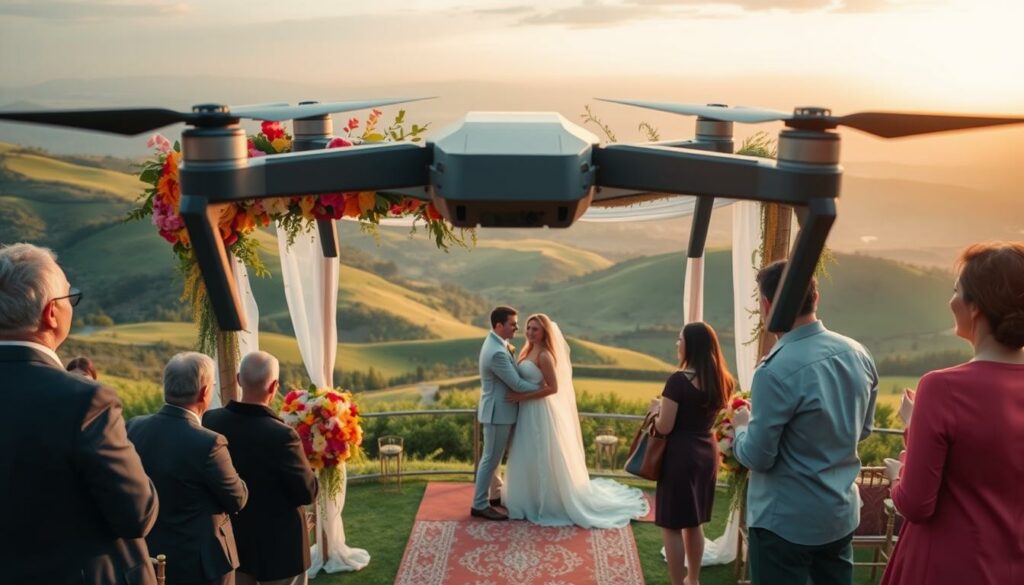
Creative camera angles and unique perspectives are what separate memorable videos from ordinary ones. By thoughtfully choosing your viewpoint, you can transform standard footage into compelling visual stories. This approach is particularly powerful for travel videos and wedding films.
Capturing Travel Stories Through Diverse Angles
For travel stories, I love starting or closing with a grand establishing shot. A slow zoom towards a beautiful location invites viewers on the journey. It also creates perfect moments for a voice-over.
Following a subject during a hike adds a powerful sense of effort and adventure. A low-angle shot, as if the viewer is walking the path themselves, creates incredible immersion. These techniques provide essential context, dynamism, and detail.
Enhancing Wedding and Event Videos
Wedding films benefit immensely from breaking the standard eye-level perspective. An establishing shot that captures the venue’s unique setting sets a magnificent tone. I often use a revealing shot where the couple appears from behind a meaningful foreground element.
Flying upwards from ground level towards the ceremony creates a true sense of arrival. A gentle orbit around the couple adds a romantic, dramatic feel. The key is to match the movement’s speed with the music’s emotion.
| Video Type | Recommended Angle | Primary Effect |
|---|---|---|
| Travel Videos | Low-angle follow shot | Creates viewer immersion and journey effort |
| Travel Videos | High establishing shot | Shows geographical context and scale |
| Wedding Films | Rising reveal shot | Builds a sense of grandeur and arrival |
| Wedding Films | Orbiting couple shot | Adds romantic focus and cinematic drama |
Varying your angles and heights is the ultimate secret. It maintains visual interest and tells a richer story. Whether for travel or weddings, these perspectives make your footage unforgettable.
Techniques for Smooth and Steady Drone Movements
Mastering control of your flying camera’s motion is what separates captivating footage from shaky, distracting video. Smooth, deliberate movements create that professional look we all strive for. Jerky controls immediately signal amateur work and pull viewers out of your visual story.
Balancing Speed with Stability
I always emphasise using slow, deliberate control inputs rather than aggressive stick movements. Smooth acceleration and deceleration make footage feel intentional. The key is matching your speed to the narrative—slower for contemplative scenes, faster for action sequences.
Environmental factors like wind can challenge stability. When conditions are rough, I fly lower, reduce speed, or sometimes abort shots altogether. Using tripod or cinematic mode on your aircraft helps tremendously with smooth operation.
Mastering Tracking and Follow Shots
For tracking techniques, positioning is crucial. When following from behind, stay slightly above your subject’s head level to avoid collisions. This maintains a clear view while ensuring safety.
The lead technique involves flying backward in front of your subject. Maintain consistent distance and avoid sudden stops that create jarring footage. Side tracking parallel to your subject adds wonderful motion when flown close to foreground elements.
Practice each movement repeatedly before recording. These techniques transform basic footage into compelling visual sequences that serve your narrative beautifully.
Utilising Advanced Cinematography Tools and Technology
Many filmmakers overlook the sophisticated automation features that can transform challenging manoeuvres into repeatable, professional results. Modern aerial platforms integrate obstacle avoidance sensors, multiple camera systems, and intelligent flight assistance that serve as genuine cinematography tools.

Leveraging Automated Flight Modes
Intelligent flight modes have evolved from simple gimmicks into legitimate cinematography assets. Features like ActiveTrack automatically follow subjects while maintaining perfect framing. Waypoints allow pre-programming complex flight paths for precise execution.
The Point of Interest mode creates smooth orbiting movements around your subject. These automated techniques free you to focus on composition rather than complex manual coordination. This proves especially valuable when working solo without a dedicated pilot.
GPS-based route planning ensures consistent results across multiple takes. You can return days later and recreate identical sequences. Obstacle avoidance sensors provide confidence in complex environments, though they shouldn’t replace proper situational awareness.
I find automated modes excel for precision and repeatability, while manual control offers creative spontaneity. The key is understanding these technologies serve your vision rather than replace fundamental cinematography principles. Knowing when and why to deploy specific techniques matters most.
Integrating Drone Shots to Elevate Your Story
When aerial and ground-level footage work in harmony, they create a storytelling experience that resonates deeply with viewers. The most effective videos use these perspectives to build a complete picture, balancing grand scale with intimate human moments.
Weaving Aerial Footage with Ground-Level Narratives
I often use aerial shots as elegant transitions between scenes. A smooth flight over a landscape can signal a change in location or time. This technique maintains narrative flow while adding visual interest.
Contrast is key to creating depth. An expansive shot showing the scale of a campus establishes the setting. Cutting to a close-up of an employee at their desk then provides the personal connection.
This combination gives viewers both the big picture and the human detail. It transforms a simple tour into a compelling story about people and place.
Crafting a Compelling, Cohesive Visual Story
Strategic placement makes your aerial footage more impactful. I treat these shots as accents rather than the main focus. They should enhance the story, not overshadow it.
Consider the rhythm of your edit carefully. Aerial perspectives work brilliantly at sequence beginnings to establish context. They also shine at climactic moments to reveal consequence.
| Shot Purpose | Ideal Timing | Intended Effect |
|---|---|---|
| Establishing Context | Start of sequences | Orient viewer to location and scale |
| Transitional Element | Between scenes/locations | Maintain narrative flow during changes |
| Emotional Emphasis | Climactic moments | Reveal scale or consequence dramatically |
Restraint is crucial. Overusing aerial shots dilutes their power. Every creative decision must serve the narrative first. This approach ensures your film leaves a lasting emotional impact.
Conclusion
The true power of aerial filming lies not in the height you reach, but in the story you tell from that unique vantage point. Throughout this guide, we have explored how deliberate movements, careful planning, and the right camera settings transform simple footage into meaningful cinematography.
Remember that technical mastery of your drone is just the foundation. The creative choice of when and why to use an aerial perspective is what elevates your work. Use these shots with purpose, not just for spectacle.
Think of your aerial tool as one part of a complete filmmaking kit. The most impactful videos blend sweeping views with intimate ground-level moments. This combination provides the full resolution your narrative deserves.
I encourage you to practise these techniques across your projects. Whether creating a travel film or a wedding video, let each shot serve your storytelling goal. Your journey towards more powerful visual narratives starts with your next flight.
FAQ
What is the most important thing to remember when planning aerial footage?
For me, it all starts with the story. I always plan my shots around the narrative I want to tell, not just getting cool-looking footage. A detailed shot list and a clear flight path are my best tools for ensuring the visuals serve the final film.
How can I make my drone movements look more professional and less jerky?
I find that smoothness comes from practice and gentle control inputs. Using the drone’s automated flight modes, like a slow orbit or a gentle track, can help a lot. Balancing your speed and using ND filters to control motion blur are also key techniques I rely on.
Which drone is best for a beginner wanting to create high-quality video?
From my experience, models like the DJI Mini series are fantastic starting points. They offer great resolution and stability in a small package. As your skills grow, you might look at the more advanced features of the Mavic or even Inspire models for their superior camera technology.
What’s one simple setting change that can instantly improve my videography?
I always recommend shooting in a flat colour profile and at a higher frame rate if you plan to slow the action down in post-production. This gives you much more flexibility when colour grading and helps create that beautiful, slow-motion effect.
How do I legally and safely incorporate this technology into my filmmaking process?
Safety and legality are my top priorities. In the UK, you must pass the CAA’s A2 Certificate of Competence (A2 CofC) to fly legally in many scenarios. I always check my surroundings, maintain a visual line of sight, and ensure I have the correct permissions for my location.