
What if you could share breathtaking aerial views with thousands of people as they happen, creating an immersive experience that traditional cameras simply cannot match?
I’ve watched this technology transform how we capture and share perspectives from above. The ability to broadcast real-time footage opens up incredible possibilities for content creators and professionals alike. Modern systems now support multiple simultaneous broadcasts with impressive features.
In this comprehensive guide, I’ll walk you through everything needed for a professional aerial broadcast operation. We’ll explore equipment selection, platform configuration, and the complete workflow from basic setups to advanced solutions.
Whether you’re filming events or managing operations, this technology offers powerful advantages. You’ll discover how to leverage AI-powered features and low-latency delivery to engage massive audiences effectively.
Key Takeaways
- Discover how aerial broadcasting technology has revolutionised real-time content sharing
- Learn the complete workflow from equipment selection to professional configuration
- Understand why this approach has become essential for modern content creators
- Explore advanced features like simultaneous broadcasts and AI object detection
- Gain practical advice based on current UK industry standards and equipment
- Develop a clear roadmap for launching your own professional setup
Introduction: My Journey into Drone Live Streaming
The moment I realised aerial perspectives could revolutionise real-time content creation marked a turning point in my career. I discovered this technology wasn’t just about capturing pretty shots—it was about transforming how we share experiences.
Why I Chose Drone Live Streaming
My initial motivation came from wanting to provide unique viewpoints that traditional equipment couldn’t capture. The ability to broadcast directly to online services meant reaching audiences instantly.
I found this approach invaluable for events, sports coverage, and professional operations. The immediacy of sharing footage without post-production delays opened up creative possibilities I’d never imagined.
The Benefits of Aerial Perspectives
Aerial views add tremendous value by providing context, scale, and cinematic quality. They create immersive experiences that ground-level cameras simply cannot match.
This technology has democratised aerial broadcasting, making it accessible to creators of all levels. The benefits extend beyond beautiful footage to enable real-time decision-making.
| Feature | Traditional Ground Filming | Aerial Perspectives | Impact on Viewer Engagement |
|---|---|---|---|
| Field of View | Limited horizontal coverage | 360-degree panoramic views | Higher immersion and context |
| Scale Presentation | Difficult to show full scope | Clear demonstration of size | Better understanding of space |
| Creative Angles | Standard eye-level shots | Unique bird’s-eye perspectives | Increased visual interest |
| Real-time Context | Localised viewpoint only | Comprehensive situational awareness | Enhanced storytelling capability |
Through my journey, I’ve learned that successful aerial broadcasting combines technical knowledge with creative vision. I’m excited to share these insights to help you achieve similar results.
Essential Equipment for Drone Live Streaming
Choosing the right gear makes all the difference between an amateur broadcast and professional aerial footage. I’ve tested numerous setups and found that equipment selection directly impacts your final output quality.
Drones and Devices Overview
For professional results, the DJI Mavic 3 Pro stands out with its superior Hasselblad camera system. It delivers cinematic quality that audiences appreciate. The advanced obstacle sensors provide peace of mind during complex shots.
If you’re budget-conscious, the DJI Mavic 3 Classic offers excellent value. It maintains impressive performance without the triple-camera setup. This model handles most broadcasting situations reliably.
Portability enthusiasts will appreciate the DJI Mini 4 Pro. Its lightweight design doesn’t compromise on capability. The decent battery life supports extended mobile operations.
Exploring DJI Solutions and Accessories
First-person view enthusiasts should consider the DJI Avata with built-in propeller protection. Paired with DJI Goggles 2, it creates immersive experiences. This combination excels in confined spaces.
For larger operations, ground stations like the DJI Dock 2 enable automated deployments. Professional devices such as the DJI 3DT expand your capabilities significantly. Additional equipment like Zepcam integrates seamlessly with various platforms.
When selecting your setup, I prioritise camera quality, flight duration, and transmission range. Compatibility with your chosen platform ensures smooth broadcasting experiences every time.
How to Connect Your Drone to Streaming Platforms
Three distinct approaches exist for linking your aerial camera system to popular broadcasting services, each with unique advantages. I’ll guide you through the primary methods I use, tailored to different skill levels and quality requirements.

Using the DJI Fly App
The simplest method involves the DJI Fly app, which I find incredibly user-friendly. Controllers like DJI RC 2 support RTMP transmission directly to services like YouTube without third-party software.
To easily connect using this app, I navigate to the camera view and select the Transmission icon. After choosing my preferred platform and customising settings, I click Start Transmission. The DJI Fly approach offers straightforward control for beginners.
Live Streaming Software Options
For greater flexibility, I recommend software like OBS Studio or XSplit. These tools allow broadcasting to any platform while adding professional overlays and graphics.
The easiest connection method uses HDMI output from controllers like DJI RC PRO. This setup works perfectly with my compatible aerial systems, providing excellent control over the final output quality.
Utilising Dedicated Encoder Solutions
Professional operations demand dedicated encoders like Teradek or LiveU. These systems provide superior RTMP transmission with dual-channel encryption for maximum reliability.
LiveU units integrate flawlessly with platforms like Vimeo and offer two-way studio communications. This method ensures the highest quality for complex multi-day shoots where stability is paramount.
Drone Live Streaming: Operation, Settings and AI-Powered Enhancements
Modern aerial broadcasting has evolved far beyond simple transmission into sophisticated operational ecosystems. I’ve found that mastering these systems transforms how you manage entire productions.

Understanding RTMP and Other Streaming Protocols
RTMP serves as the foundation for reliable video delivery across major platforms. This protocol ensures your footage reaches audiences with minimal interruption.
I particularly value systems supporting multiple simultaneous broadcasts. This capability proves invaluable when coordinating complex multi-angle coverage.
“The stability of RTMP transmission has revolutionised how we deliver real-time aerial perspectives to global audiences.”
Advanced features like AI-powered object detection automatically track subjects during broadcasts. This intelligent operation enhances production quality without manual intervention.
Monitoring and Real-Time Control
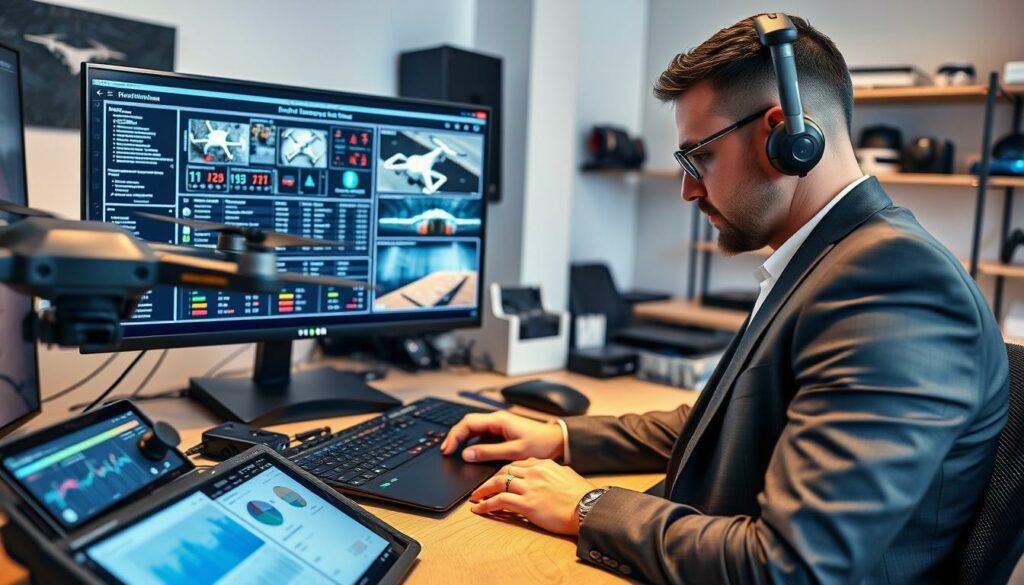
Comprehensive monitoring gives me complete oversight of every aspect. I can check battery levels, signal strength, and adjust settings remotely.
Security remains paramount with TTA-based standards protecting broadcasts. Customisable access controls let me manage viewer permissions effectively.
| Feature | Basic Systems | Advanced Operation | Professional Impact |
|---|---|---|---|
| Protocol Support | Single RTMP stream | Multiple simultaneous streams | Greater production flexibility |
| Monitoring Capability | Basic signal indicators | Comprehensive system overview | Proactive issue resolution |
| AI Enhancements | Manual tracking only | Automatic subject detection | Reduced operator workload |
| Collaboration Tools | Individual operation | Multi-user team coordination | Streamlined complex productions |
Easy-to-share configurable links simplify distributing access to clients. This collaborative approach has transformed how I manage large-scale operations.
Practical Tips for a Successful Drone Live Streaming Setup
Getting your aerial broadcast setup right from the start saves countless headaches later. I’ve developed these practical approaches through years of managing various production scenarios.
Customising Transmission Settings for Optimal Quality
When broadcasting via the DJI Fly application, I always adjust resolution and bitrate based on my internet capabilities. For areas with weaker connectivity, I reduce settings to maintain stability.
Stronger connections allow maximum quality settings for superior video output. Matching your configuration to the specific situation prevents frustrating dropouts during critical moments.
Ensuring Stable Connectivity and Compliance
Stable internet remains the most critical factor for smooth operation. I consistently test connections beforehand and carry backup solutions for important shoots.
Compliance with CAA regulations is non-negotiable in the UK. I maintain visual contact, respect no-fly zones, and prioritise privacy throughout every broadcast.
My essential pre-flight checklist includes:
- Verifying battery levels and GPS signal strength
- Confirming platform connection and audio testing
- Ensuring all control surfaces respond correctly
- Checking weather conditions throughout the operation
For complex multi-day shoots, fleet management features provide invaluable visibility across simultaneous operations. Strategic positioning between your equipment and internet source significantly improves reliability.
Conclusion
Transforming your vision into captivating aerial broadcasts is an achievable goal with the right guidance and equipment. I’ve designed this guide to give you a solid foundation for your journey into this exciting field.
Whether you’re starting with the straightforward DJI Fly app or investing in professional controllers like the DJI RC PRO, there’s a path that matches your current skills. The information covers everything from basic setups to advanced solutions available on various platforms.
Remember that success comes from combining proper equipment with hands-on experience. Don’t worry if your first attempts aren’t perfect—improvement happens naturally with practice.
I encourage you to begin with what feels comfortable for your level and budget. The aerial broadcasting community here in the UK is wonderfully supportive, so connect with fellow enthusiasts and share your experiences.
FAQ
What is the most straightforward way to begin broadcasting from my DJI Mavic?
I found the easiest method is using the DJI Fly app. It has a built-in feature that lets you connect directly to popular platforms using an RTMP server address, which simplifies the whole process.
Can I use DJI Goggles to monitor my feed during a broadcast?
A> Absolutely. My DJI Goggles integrate seamlessly, providing a first-person view that’s invaluable for framing shots and monitoring the video quality in real-time, giving me full control over the situation.
What should I do if my connection becomes unstable mid-flight?
My first step is always to check my transmission settings within the app. Lowering the broadcast resolution can often stabilise the link. I also ensure my mobile device has a strong 4G/5G signal, not just Wi-Fi.
Are there any special considerations for flying my UAV near people or buildings?
Yes, safety and legal compliance are paramount. I always check the Civil Aviation Authority’s Drone Code before any operation, maintaining a safe distance and ensuring I have the correct permissions for the area.
How can I improve the quality of my aerial video stream?
A> I get the best results by customising my bitrate and resolution settings based on my network conditions. Using a dedicated mobile hotspot for a consistent internet connection, rather than my phone’s shared connection, often makes a significant difference.